Context & Business Challenges
Citizen reception in municipal town halls is a decisive touchpoint for local public services. Poorly managed queues create visitor friction and overwhelm front-desk staff.
To modernize this process without requiring expensive proprietary hardware, Logitud Solutions built PopQueue, a real-time modular web solution. My mission encompassed designing and developing the complete touch kiosk user interface as well as major parts of the administration back-office, built in synergy with our MG_UI component library.
Front-End Architecture & Real-Time Ecosystem
The ecosystem synchronizes three distinct front-end applications via WebSockets:
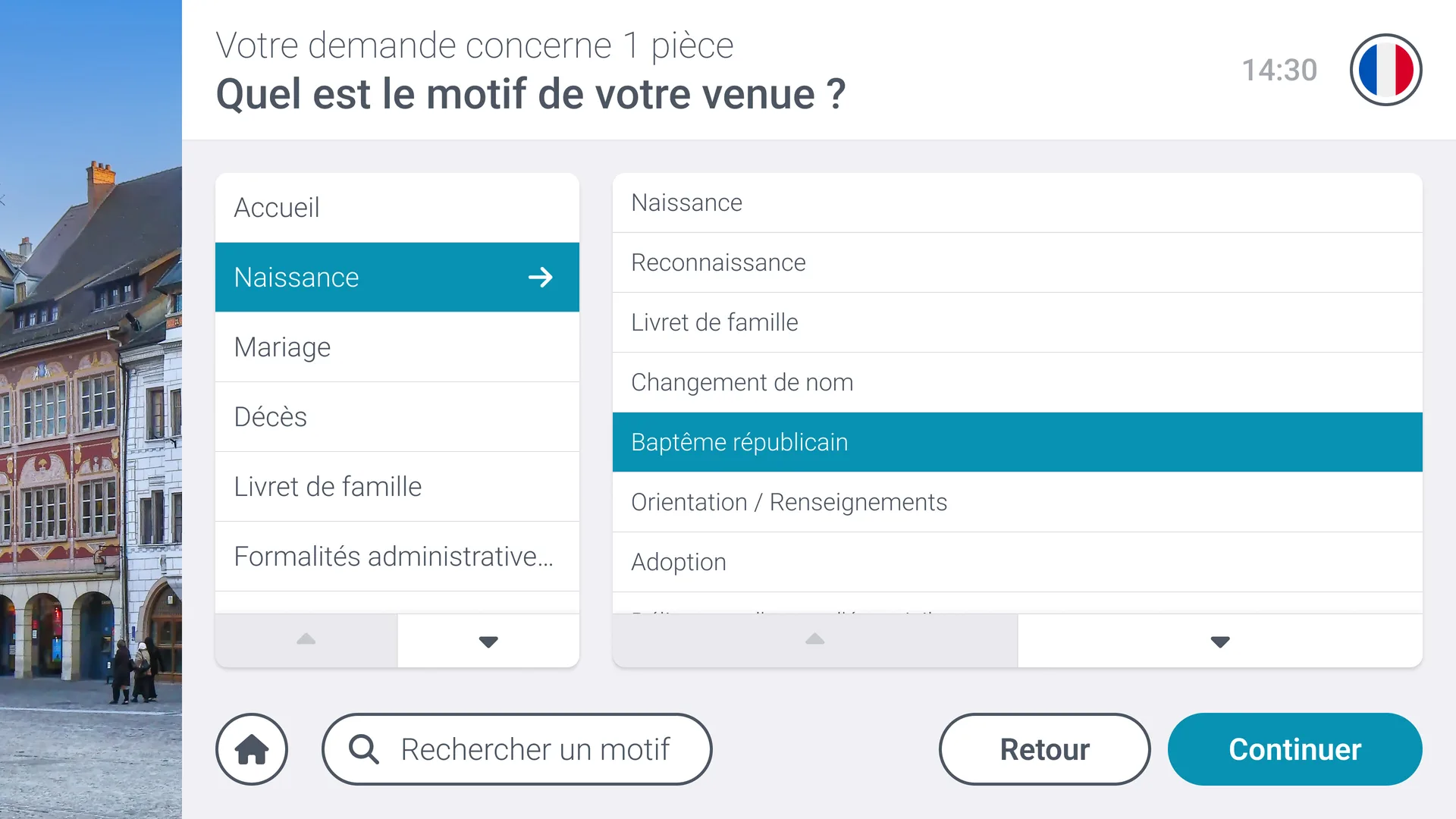
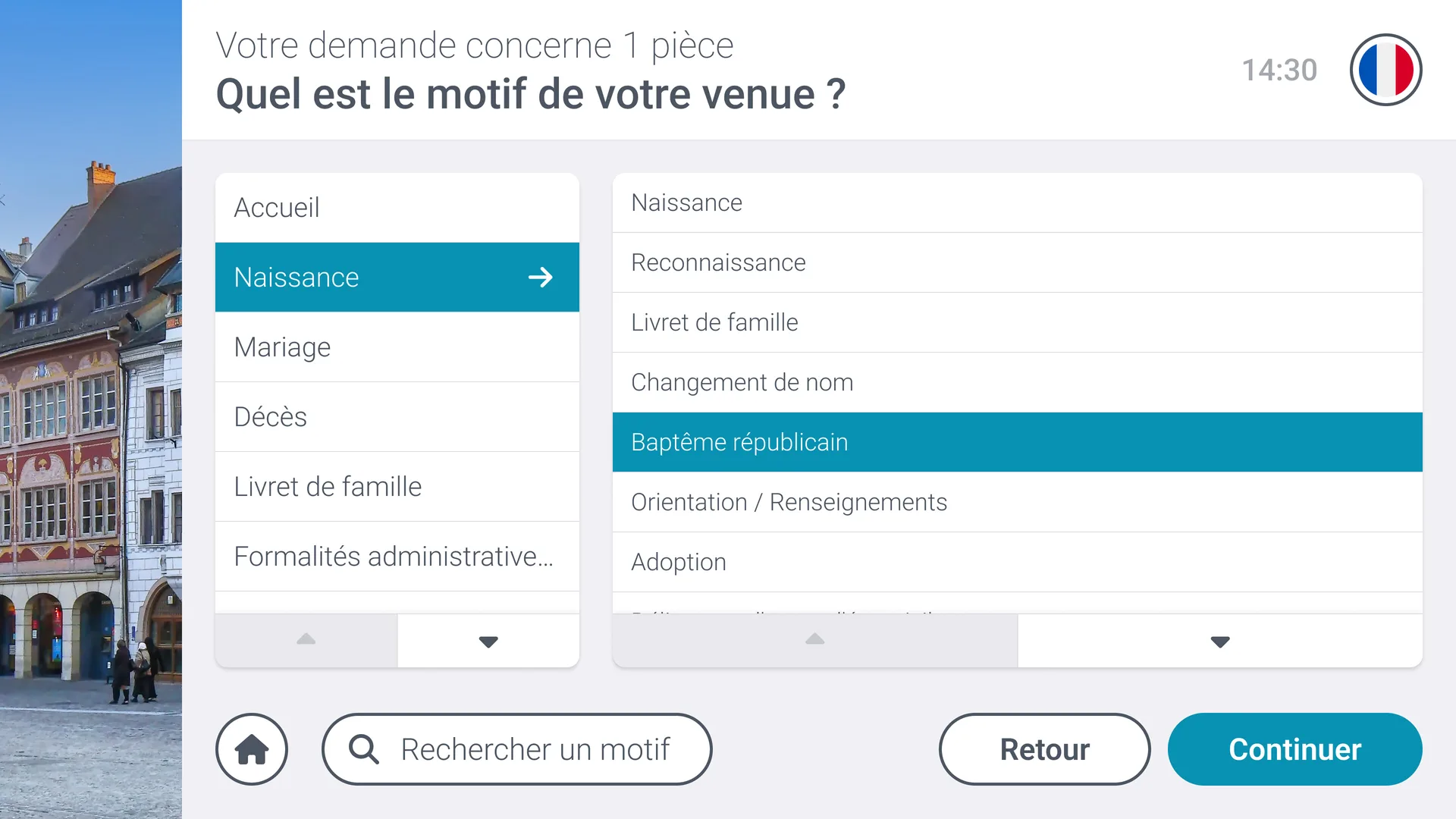
- Touch Kiosk Application (Citizens): Fully developed for standalone tablet use (procedure selection, appointment scan/check-in, and ticket printing/display).
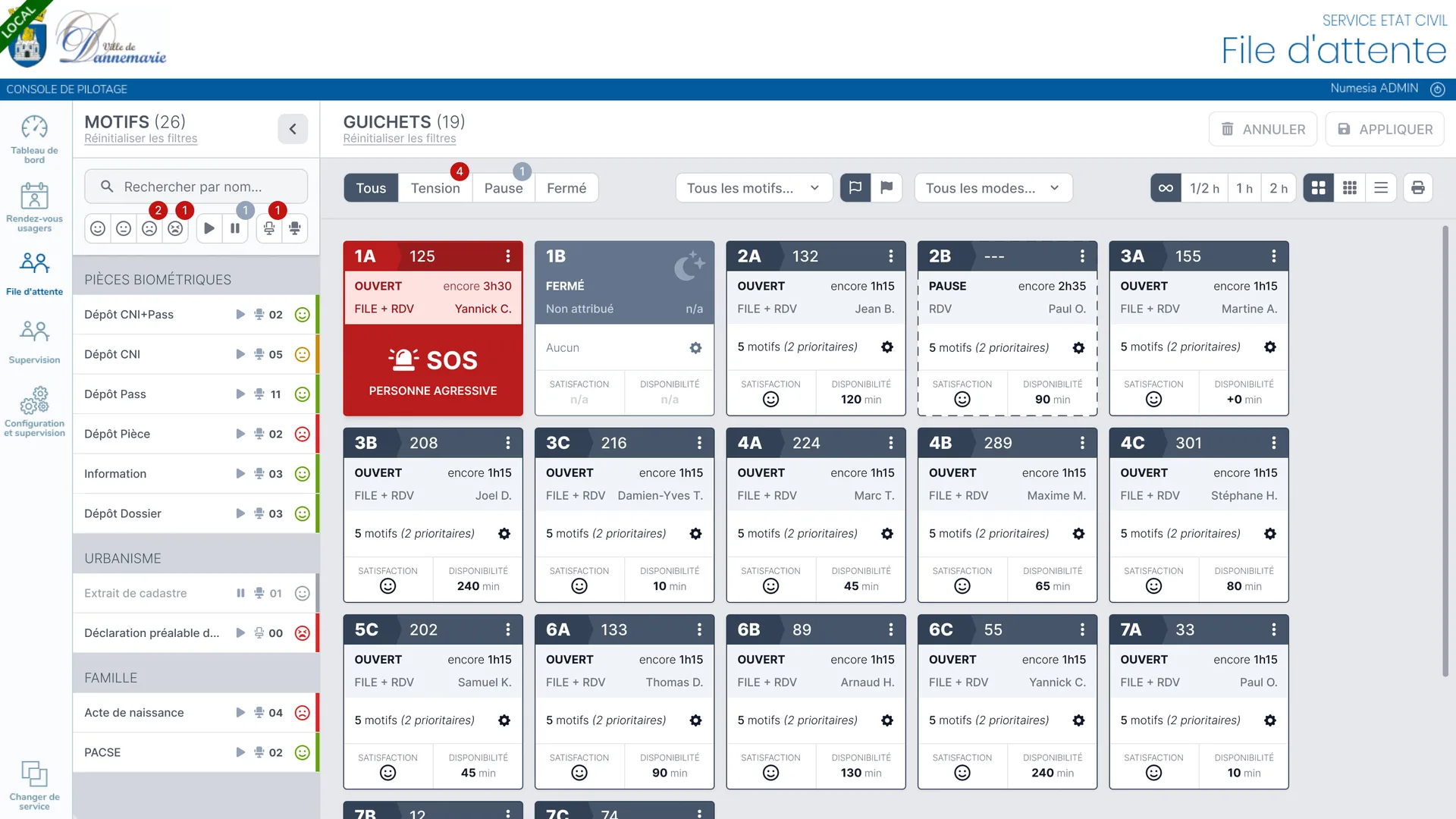
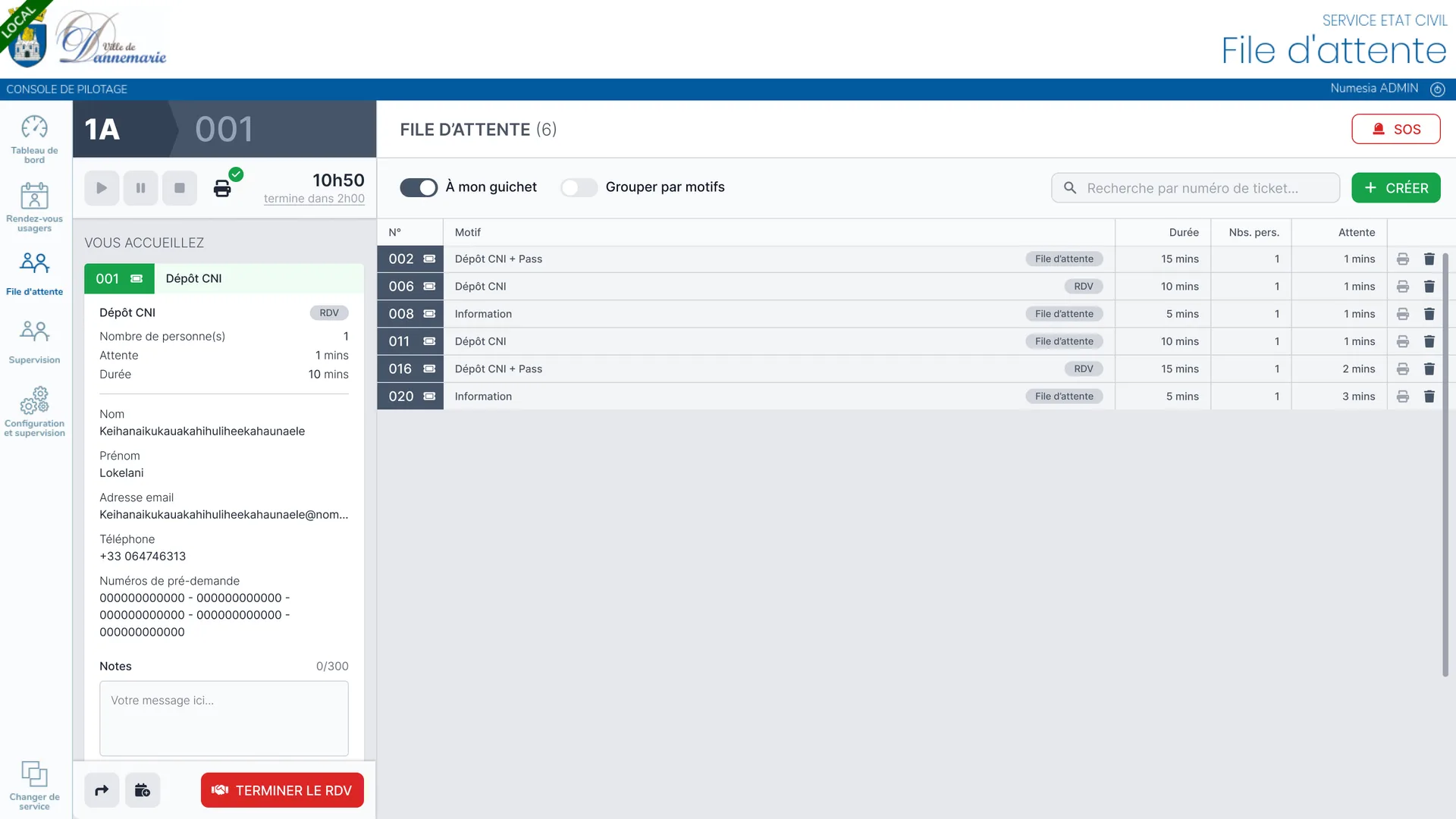
- Staff Console & Back-Office Screens: Desk officer and management screens crafted using our reusable MG_UI components, allowing staff to process tickets and supervisors to monitor live flow metrics.
- Dynamic Waiting Room Display: Instant broadcast of calls with visual number highlights and desk routing.
On the front-end, a dedicated composable (usePopQueueSocket) listens to events broadcast by the WebSocket server (TicketCreated, TicketCalled), delivering sub-100 ms responsiveness with automated exponential reconnection on network hiccups.
Technical Challenges & Solutions
Full Kiosk Development & Custom Virtual Keyboard
To ensure rock-solid stability in kiosk tablet environments, complete control over touch interaction was essential:
- Streamlined Citizen Flow: Clear administrative decision trees, oversized buttons, and high contrast for effortless navigation.
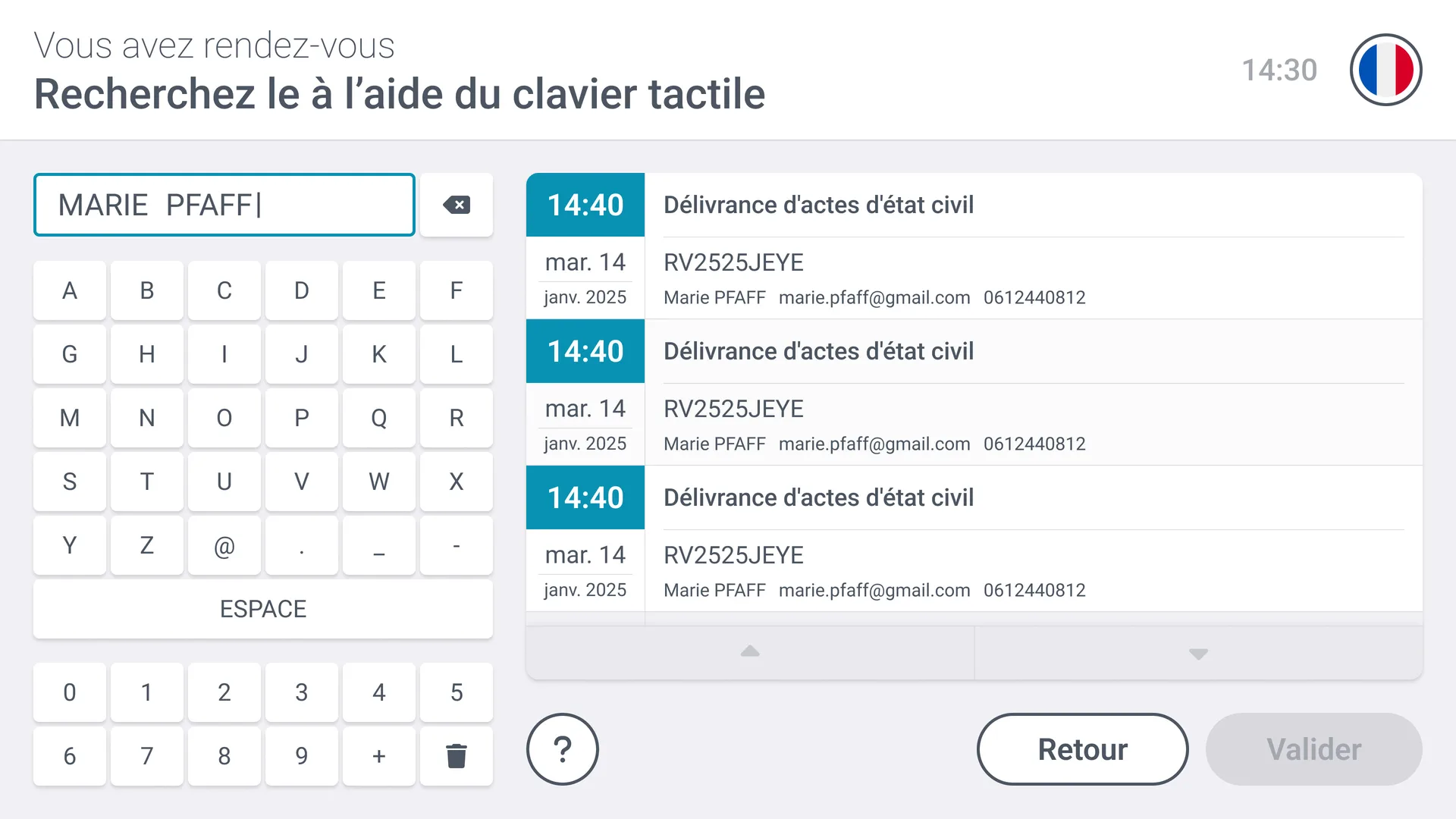
- Custom Virtual Keyboard: Because native mobile OS keyboards caused disruptive viewport displacement and unwanted browser bars, I built a standalone on-screen touch keyboard component. Mounted directly into the application DOM, it is restricted to valid inputs (digits, letters) and decoupled from OS-specific quirks.
Synergy with MG_UI & Back-Office Administration
The development of the PopQueue back-office leveraged our modular MG_UI library:
- Reactive Staff Console: Single-click call actions (next ticket, hold, re-routing to another counter).
- Multi-Counter Supervision: Live summary views tracking active queues and desk operator availability.
- Speech Synthesis (RGAA 4.1.2): Integration of the browser's Web Speech API to dynamically vocalize ticket calls in waiting rooms ("Ticket number A42 to Desk 3"), ensuring full accessibility for visually impaired citizens.
Impact & Key Results
- < 100 ms latency for real-time synchronization between desk call actions and waiting room displays.
- Universal deployment: Runs seamlessly on consumer tablets and standard TV displays via standard modern web browsers.
- Exemplary accessibility: Full adherence to RGAA 4.1.2 requirements (large touch targets, high contrast, audio announcements).
- Operational efficiency: Noticeable reduction in perceived waiting times and smoother workflow for reception staff.
Documentation & Resources
For detailed interaction diagrams and technical specifications: